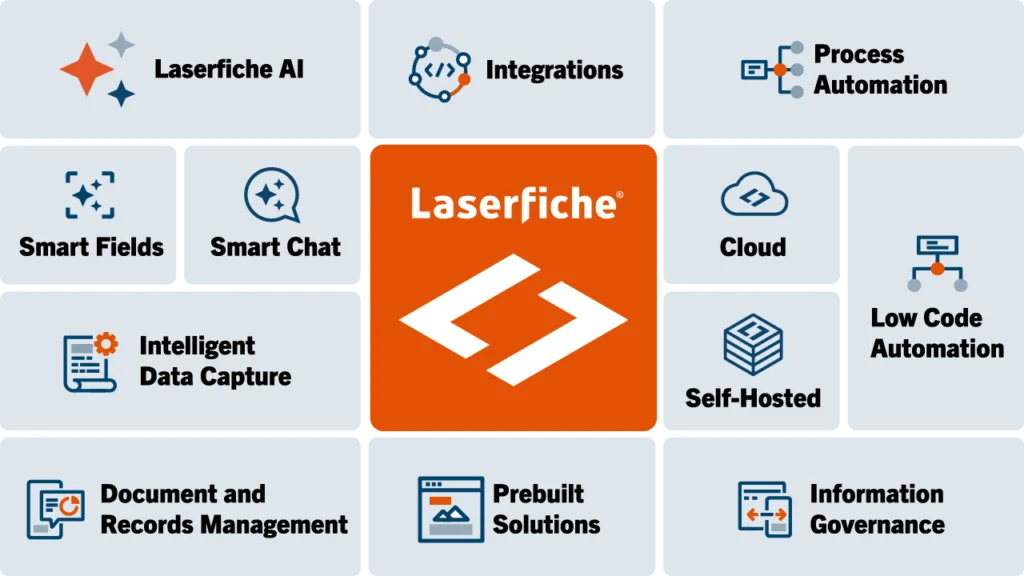
In today’s competitive global environment, it’s critical that you maximize the value of your IT investments. That’s why we designed the Laserfiche platform with interoperability so firmly in mind. By integrating your Laserfiche enterprise content management system with your other line-of-business applications, you can streamline work processes, reduce IT complexity and automate resource-intensive tasks.
To promote rapid integration, we’ve built Laserfiche with a highly flexible application programming interface (API). This API uses a fully managed .NET interface to communicate with third-party systems, which means that Websites, scripts, Windows applications or anything else that is compatible with .NET libraries can easily communicate with the Laserfiche Server. Additionally, Component Object Model (COM) and Java libraries are available for use by unmanaged C++, classic VB, VBScript, JScript and VBA.
The Laserfiche SDK contains commands and documentation that will help you use the Laserfiche API most effectively. In the Laserfiche SDK, you’ll find instructions that help you integrate Laserfiche with third-party applications, customize system functionality
and automate Laserfiche-related tasks such as indexing and retrieving documents, populating template fields and automatically generating e-mails or e-forms. Additionally, you’ll find a wealth of runnable sample code, written in both C# and VB .NET, designed to help you tailor your Laserfiche system to your organization’s specific business needs.
To promote fast distribution, the Laserfiche SDK includes pre-built merge modules. You can use these modules to create custom installation packages that contain both your own code and the relevant Laserfiche SDK components. However, you also have the option of simply installing the Laserfiche SDK libraries at your organization, without installing the merge modules.
On the Laserfiche Support Site, you’ll have 24/7 access to three key resources that help you maximize the value of your Laserfiche SDK investment: the Laserfiche Forum, the Laserfiche Code Library™ and the Laserfiche Marketplace.
By promoting active collaboration among the members of the Laserfiche community, we aim to help you optimize your organization’s information management infrastructure—without creating an additional burden for your IT department.
Laserfiche RepositoryAccess (RA) is the component of the API that enables third-party applications to communicate with the Laserfiche Server. You can use RA to automate a variety of functions, from creating folders to running security reports to populating template fields. In addition, RA ships with an ADO.NET provider that allows the repository to be queried as a structured data source.
The API’s DocumentServices (DS) library complements RA by providing access to functionality associated with the Laserfiche Client. You can use DS objects to perform a variety of import and export actions, process documents using OCR and extract text from electronic documents.
Furthermore, DS contains two new classes:
Each type of data in the Laserfiche repository is also accessible via COM libraries. Laserfiche Server Objects (LFSO) can be used to automate a variety of server and repository functions, similar to RepositoryAccess. The DocumentProcessor library complements LFSO by providing access to functionality associated with the Laserfiche Client.
Please install Adobe Flash Player to view video or download it here.
The Laserfiche SDK’s ImageEnable component allows third-party applications to manipulate the Laserfiche Client. With this component, you can bring enterprise content management functionality—including search and retrieval, versioning, check-in/check-out, metadata and security—into your other line-of-business applications.
Many organizations, for example, rely on a geographic information system (GIS) to store and manage spatial data. Using the Laserfiche SDK and the GIS application’s API, you can image-enable your GIS software so that users can access Laserfiche documents simply by clicking a location on a map. Providing users with instant access to information from within their primary application helps them work more productively and minimizes the need for additional training.
Key Features |
|
Operating Systems |
|
Supported Platforms |
|
Languages |
|
Support revenue-generating activities through integration and automation