


The EDUCAUSE Annual Conference connects the best thinkers in higher education technology. This is THE event where professionals and technology providers from around the world gather to network, share ideas, grow professionally, and discover solutions to today’s challenges.
Join over 400 IT professionals to explore how exponential technologies are transforming organizations.
You will not be replaced by AI, you will be replaced by a professional who is 100x more productive because they know how to use AI; organizations will be displaced by those that have incorporated AI agents into their critical processes and migrated toward Web3 technologies.
Join +5,000 C-Levels (CEOs, CDOs, CIOs, CMOs, CTOs, CISOs, CFOs), and AI, IT, marketing, development, Innovation, digital transformation, and eCommerce professionals from the Americas. Share experiences to face the 6th Technological Revolution, achieve the equivalent of an MBA in digital technologies, and close more business in 2 days than in 1 year during the Congress.
ARE YOU READY FOR THE 6TH TECH REVOLUTION? Join global tech providers and C-Levels from +100 countries.
The K-12 School District Leadership AI Summit in Los Angeles County is a high-impact, one-day event designed for superintendents, CIOs, and district leaders ready to shape how AI supports student success. Through hands-on workshops, collaborative planning, and peer networking, attendees will explore how to responsibly integrate AI into decision-making, professional learning, privacy practices, and equity initiatives.
Helping Families Get Answers Faster
For parents of young children, planning for the school year starts months in advance. They arrange childcare, adjust work schedules and make decisions that affect the family budget.
At Magnolia Independent School District (ISD) in Texas, many families had to make those decisions while waiting to learn whether their child qualified for the district’s pre-kindergarten program. Texas requires children to meet specific eligibility requirements for publicly funded pre-kindergarten, making timely enrollment decisions especially important. Yet some parents waited up to three months for an answer.
Located northwest of Houston, Magnolia ISD serves approximately 15,000 students across a fast-growing district. As enrollment increased, district leaders looked for ways to make important services more responsive for families while reducing administrative work for staff. For Brenda Davis, systems administrator, the lengthy qualification process stood out as a prime candidate for transformation.
“We had a paper-heavy workflow with a lot of manual steps and several handoffs that slowed things down,” said Davis. “Parents were waiting for answers, and staff didn’t always have visibility into the status of their application.”
Davis found a solution in the district’s Laserfiche document management system. At the time, however, the platform was primarily used to store special education records and other long-term student documents. Having administered Laserfiche at a previous organization, Davis knew it could play a much larger role — especially if the district embraced advanced automation and AI features.
“When people started to see what Laserfiche could do beyond storing documents, the conversation changed,” she said. “We could automate processes, improve visibility and make things easier for both staff and families.”

Accelerating the Path to Enrollment
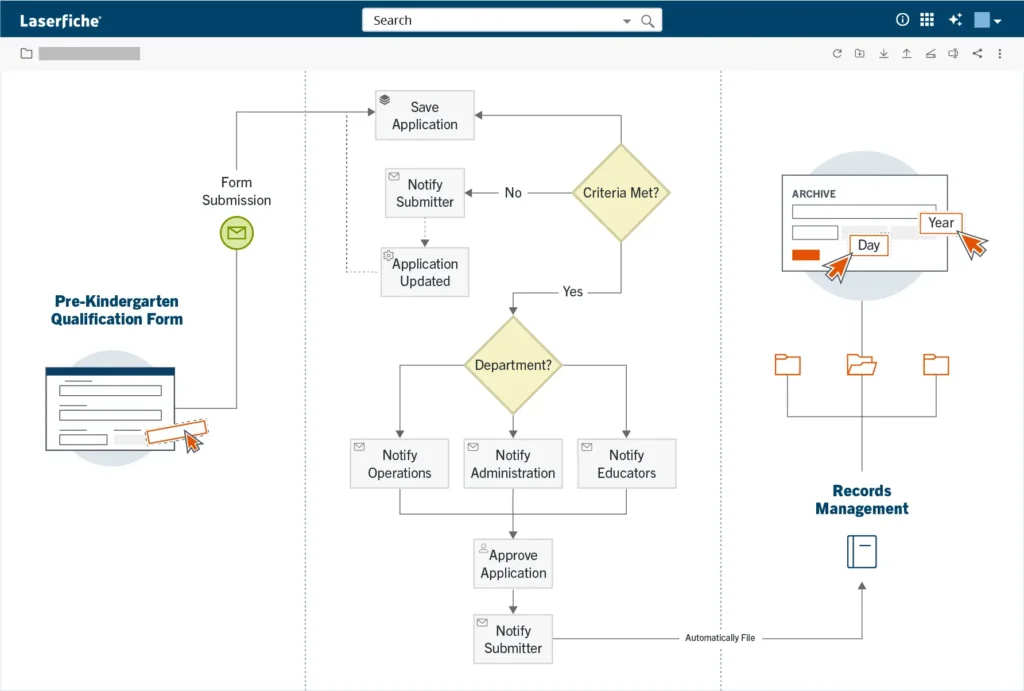
To transform the pre-kindergarten qualification workflow, Davis redesigned the process using Laserfiche Forms. Parents can now submit pre-qualification information electronically from a computer, tablet or mobile device without going through the entire, cumbersome enrollment process up front. This keeps unqualified applicant data out of the student information system, keeping database records clean. Information is automatically routed to the appropriate reviewers, and families receive prompt feedback if the district needs additional information to move forward.
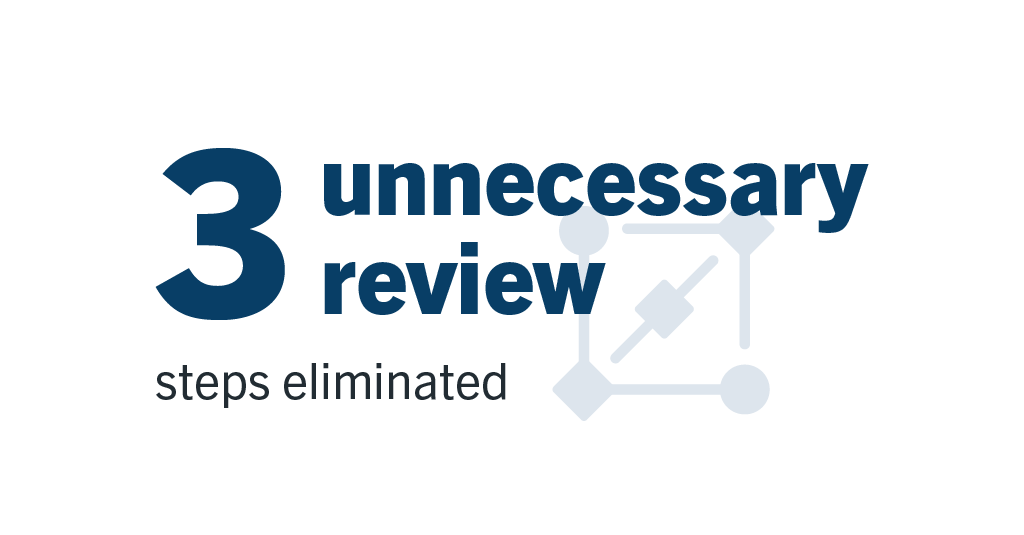
By mapping the workflow, Davis also discovered that there reviewers were included in the evaluation chain without a clear operational purpose. She eliminated those redundant steps entirely, routing applications only to relevant personnel.
“When I told them they were taken off the process, they were like, ‘Wait, you mean I don’t have to do this anymore? Thank you!’” Davis said.
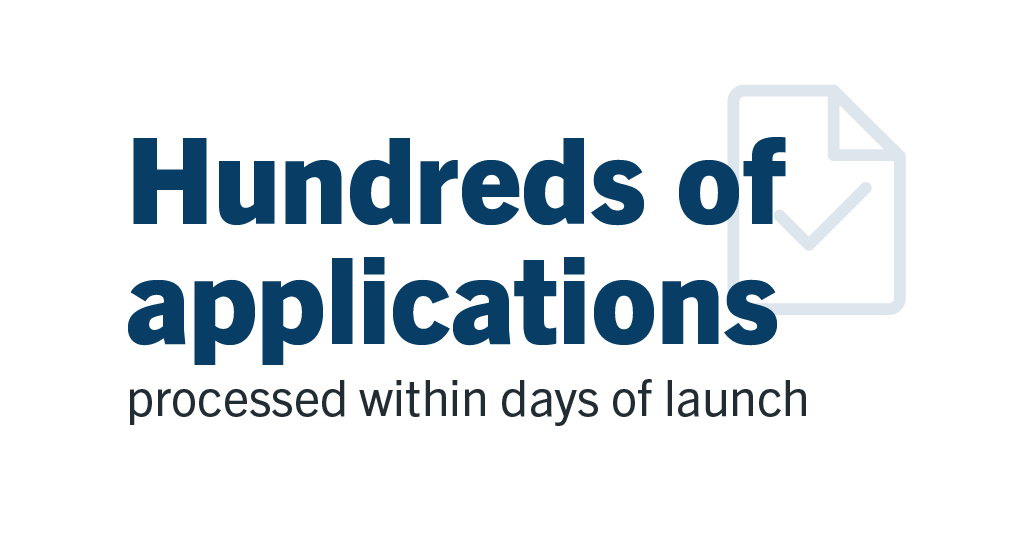
The results were immediate. Within days of launching the new process, Magnolia ISD received hundreds of applications while continuing to provide rapid responses to families. District leaders also gained earlier insight into projected enrollment, helping them plan staffing and resources sooner.
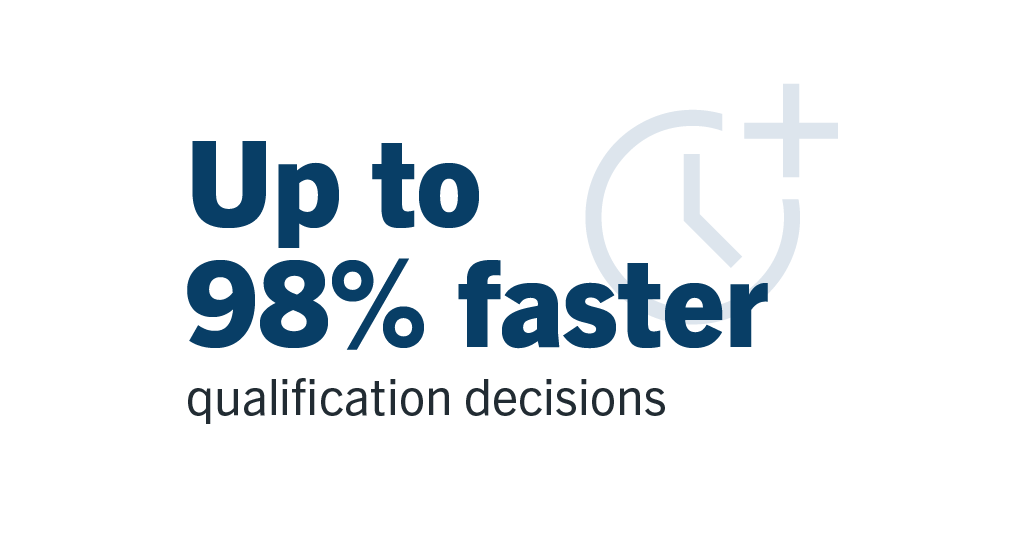
“With Laserfiche, we took the pre-kindergarten qualification process from two to three months down to two days,” said Davis. This represents a 98% improvement in the timeline. “Parents know much sooner whether their child qualifies, and our staff has much better visibility into the process.”
For families, the biggest benefit was certainty. Parents no longer had to wait months to make decisions about childcare and other arrangements before the school year began. Families whose children did not initially qualify can immediately contact the district to understand what additional information or documentation is required. In many cases, parents can update their applications and move forward without losing valuable time.
Automating Transcripts with Smart Fields
While Laserfiche Forms streamlined pre-K enrollment, Magnolia ISD also adopted Smart Fields — an AI-powered data extraction feature — to revolutionize permanent student records and transcripts.
Processing thousands of high school student transcripts manually to verify graduation statuses was previously a labor-intensive chore for staff. Using Smart Fields, Davis built intelligent prompts directly into the metadata to automate document classification and verification upon upload.
“The big takeaway was for our student transcripts,” explained Davis. “In order to determine whether a student is classified as a graduate or just a withdrawal, I had to know if there was a graduation date or if there was a signature at the bottom of the transcript. So I built a natural-language prompt that says: ‘Look for a signature at the bottom of the page just above title of school official. If there’s a signature there, then change the status to graduate.’”
Smart Fields executes the task automatically, scanning documents, filling key metadata fields, updating incorrect details, and classifying transcripts without requiring staff to open and visually inspect each file.
A Growing Role Across the District
The success of these initiatives demonstrated what was possible when Magnolia ISD applied Laserfiche beyond records storage. Today, the district uses Laserfiche to support a growing number of student and administrative processes, including:
- Attendance note submissions: Parents submit absence notes electronically from a computer or mobile device, making it easier for schools to receive, process and track documentation.
- Permanent student records management: Magnolia ISD stores transcripts, assessments and other permanent student records in Laserfiche, giving staff secure access to information while supporting long-term retention requirements.
- Automated student folder creation: Workflows automatically create student folders when documents are added, eliminating manual setup and ensuring records are organized consistently across the district.
- Records management and security assignment: Laserfiche automatically applies records management policies and security permissions, helping staff maintain compliance while reducing administrative effort.
- HR and employee onboarding initiatives: To improve visibility and reduce paperwork, the district is expanding Laserfiche into HR processes, including employee onboarding, personnel status changes and other document-driven workflows.
Magnolia ISD is also piloting new workflows designed to simplify student transitions between campuses. Rather than physically transporting boxes of student records, staff will be able to access information digitally as students move throughout the district.
“In this day and age, staff shouldn’t have to load boxes of student records and drive them to another campus,” said Davis. “By using Laserfiche, the information is wherever it needs to be, whenever administrators need it.”
Building Momentum with Rapid Results
As more employees experience the benefits of automation, interest in new projects continues to grow. Davis often starts with a Laserfiche Form because it delivers a quick win. Replacing a paper-based process with a digital form makes it easier to collect information, route it to the right people and track progress along the way.
That momentum is helping Laserfiche expand into additional areas of the district, including finance and business operations. What began as a system for storing records has evolved into a platform that helps staff work more efficiently and deliver better service to students and families.
“What excites me most is seeing people come to us with new ideas,” said Davis. “The more they learn what’s possible with Laserfiche, the more opportunities they find to improve the way they work.”

State and local governments have more time to meet new federal requirements for digital accessibility. For many organizations, that extra year is welcome — but it shouldn’t be mistaken for a reason to wait.
The U.S. Department of Justice’s rule under Title II of the Americans with Disabilities Act (ADA) establishes Web Content Accessibility Guidelines (WCAG) 2.1 Level AA as the technical standard for web content and mobile applications provided by state and local governments. Following an extension announced earlier this year, the compliance deadline is now April 26, 2027, for larger public entities and April 26, 2028, for smaller ones.
The additional time recognizes the amount of work required to meet these requirements across websites, online forms, mobile applications and electronic documents. For agencies deciding how to use that time, one place to start is with the digital services residents depend on most.
What Accessibility Looks Like Across 300+ Forms
At first glance, a public form can seem like a relatively small piece of a government agency’s digital presence. But forms are how residents apply for services, submit information and complete everyday interactions with government. Residents who rely on screen readers or keyboard navigation need accessible forms to access those services.
As governments move more services online, accessibility becomes an important part of improving the digital experience for the entire community. The City of Tucson saw the scale of that challenge firsthand.
Tucson has more than 300 public-facing Laserfiche Forms across 18 departments. Residents use them for everything from starting or stopping water service to requesting disability-related transportation.
As the city worked toward ADA compliance, accessibility audits identified issues across its forms. Some were relatively small from a technical perspective, but meaningful to the people using them. Browser tabs, for example, displayed generic titles such as “New Submission.” This made it difficult for people using screen readers, or anyone navigating several forms at once, to identify which form was open. The city developed JavaScript that replaced the generic title with the actual form name.
The team also addressed skip links that allow keyboard and screen-reader users to bypass repetitive navigation, along with color contrast, form labels, radio buttons, checkboxes and other WCAG-related issues. Tucson ultimately implemented more than 20 accessibility fixes across its public-facing forms environment. Developing, testing and implementing those improvements required more thansignificant staff time. But that work gave Tucson a foundation it could use to address accessibility more consistently going forward.
Tucson’s experience illustrates one of the biggest accessibility challenges facing public organizations: scale. Digital content exists across departments, systems and formats, making accessibility improvements a significant undertaking.
From Remediation to Repeatable Practices
Finding and correcting existing issues is only part of the job. Agencies also need to prevent the same problems from appearing in the next form or digital service they publish. Tucson turned what it learned during remediation into repeatable practices built on governance.
Using custom JavaScript and CSS capabilities within Laserfiche Forms, the city incorporated its accessibility fixes into a standardized template for future development. It also established design guidance for areas such as approved colors, alt text and accessible form controls. Form designers verify accessibility before publication. The city’s governance, risk and compliance team uses tools to continuously monitor its digital environment.
These practices help Tucson address accessibility as teams develop and manage digital services, rather than fixing issues after the fact. Documenting those standards and fixes also provides a common reference for creating new forms and updating existing ones.
Beyond forms, agencies also need to consider how they create and manage other public-facing digital content. That includes establishing ownership and incorporating accessibility into the processes used to create, review and publish websites, PDFs and documents.
Knowing Where Responsibility Lies
As agencies review their broader digital environment, they must also distinguish between the accessibility of the technology they use and the accessibility of what they create with it.
Laserfiche documents accessibility across its products through Voluntary Product Accessibility Templates (VPATs), covering areas such as web content, user interface navigation and product documentation. Organizations remain responsible for the accessibility of the forms and content they create or store, and how they configure them.
Meeting that responsibility requires agencies to consider how people with disabilities interact with the digital services they provide. For public-facing forms, that means asking questions such as:
- Can someone navigate the form without a mouse?
- Will a screen reader provide meaningful information about each field?
- Are instructions and error messages clear and accessible?
- Can someone understand what information is required and successfully submit the form?
Automated accessibility scanners can help identify issues such as missing labels, color contrast problems and heading structure. True accessibility also requires understanding how well a digital experience works for the person using it.
Putting the Extra Time to Work
The compliance deadlines have moved, but the obligation hasn’t. Title II still requires equal access to services today, and governments can face legal exposure before the new compliance dates.
Agencies can use the extension to assess their digital assets, prioritize services with the greatest impact on residents and address accessibility gaps. Establishing standards now can also make accessibility easier to maintain once the immediate remediation work is complete.
Public-facing forms are a good place to apply that thinking because they sit directly between government services and the people trying to use them. Tucson’s experience shows what that can look like in practice. Agencies can put the additional time to good use by learning from its experience, addressing existing issues while improving how they develop digital services for the future.
Learn more about the City of Tucson’s approach to digital accessibility.