
Our June updates deliver smarter tools to help you manage workloads and connect your systems with ease. Discover what’s new in Laserfiche Cloud this month, including a comprehensive upgrade to the Operational Dashboard, plus new capabilities and modern updates for your daily workflows and line-of-business integrations.
New Tools for Monitoring and Managing Processes in the Operational Dashboard
New enhancements to the Operational Dashboard make it easier for teams to monitor work, understand process and task status, and take action faster.
With new bulk task reassignment, managers can quickly rebalance workloads when priorities shift, team availability changes or work starts to pile up. Rather than reassigning tasks one at a time, you can now select multiple tasks and reassign them in a single action directly from the Operational Dashboard – less manual effort and fewer repetitive steps.
This update also introduces the ability to perform bulk actions on process instances from within the dashboard, so you can move from spotting issues to resolving them all in one place. Retry, skip, interrupt, or stop multiple instances that need attention at once – so you can address exceptions more efficiently and keep processes on track without switching between views.
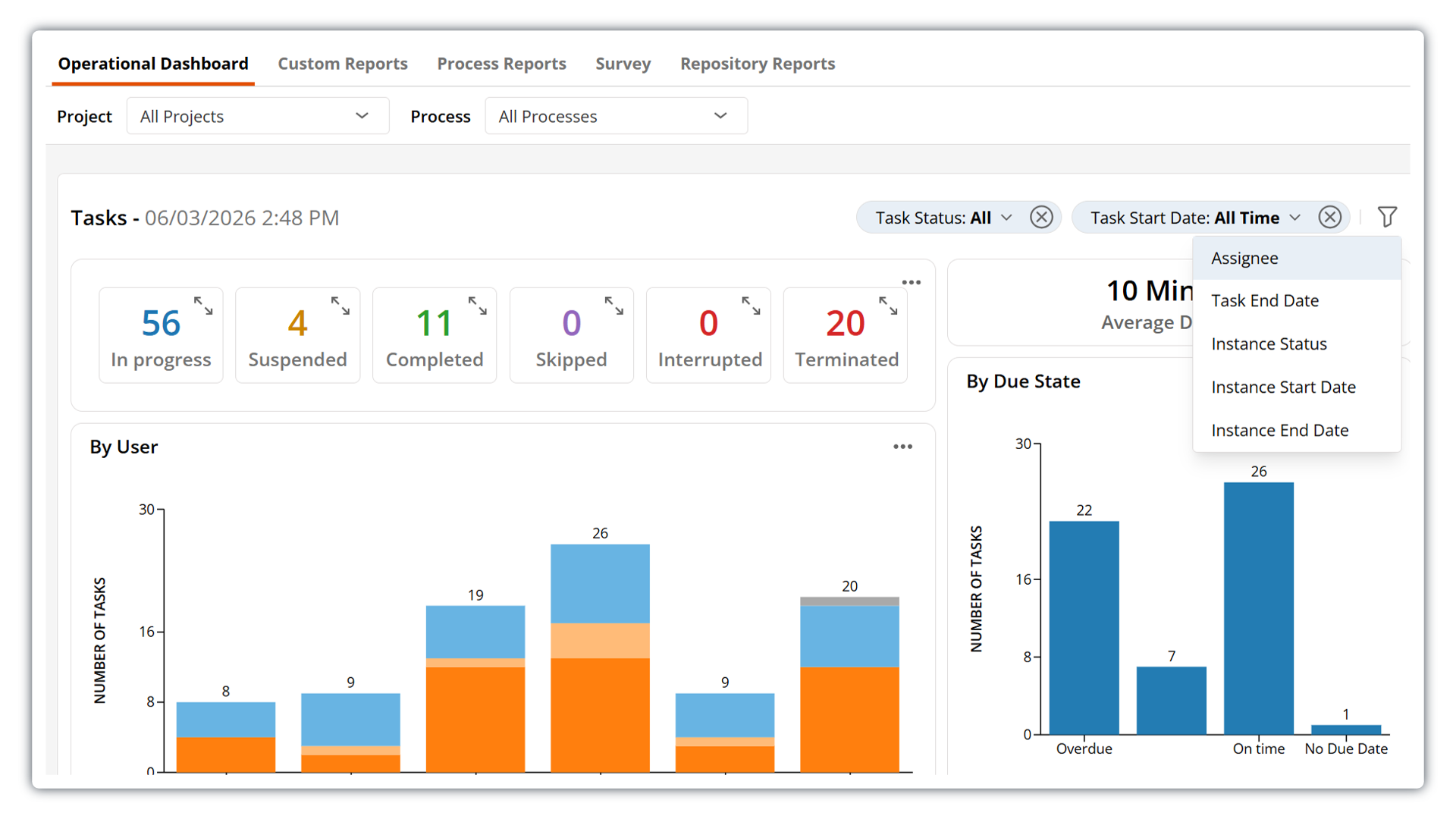
The dashboard also features a modernized, more intuitive filtering experience that makes it easier to focus on the data that matters to you. Quickly apply available filters from a streamlined new drop-down menu. Applied filters now appear in a horizontal filter bar, giving you clear visibility into which filters are currently active and allowing you to easily modify or remove them as needed.
This update also introduces a new option to filter by assignee, giving you more control when refining dashboard views and making it easier to understand workload distribution across your team.
Save and Organize Emails Faster with the Updated Outlook Add-In
The Laserfiche Outlook Add-In for Microsoft 365 includes new capabilities that make it even easier to save and organize emails from Outlook directly into your Laserfiche repository. With the new save-on-send functionality, you can automatically file emails and attachments upon sending them. This update also adds support for assigning metadata tags and generating pages or text on import — all directly from Outlook.
Other updates:
Customize sender display name for emails sent from Workflow: Get more control and more personalization when using Workflow to automatically send out emails. You can now select from the same list of custom email display names available across Process Automation.
Repository API V2 update: This update brings new capabilities to the Laserfiche API, including the ability to generate and update pages, lock and unlock entries, and check documents in and out. See the full changelog for more details.
Salesforce External Client Apps Support: Laserfiche Application Connection now supports Salesforce External Client Apps for new Salesforce integrations. This update aligns with Salesforce’s latest authentication approach for connection setup. Existing Salesforce connections using Connected Apps remain supported and functional.
Published: June 4, 2026