Knowledge Worth Preserving
With more than 81,000 students and tens of thousands of faculty, staff and student workers, Texas A&M University operates at a scale that few institutions can match. That size creates opportunities for innovation, but it also introduces complexity. Across the university, teams are constantly finding better ways to work while supporting the student experience and world-class research. What succeeds in one department, however, doesn’t always make its way to another.
That challenge became even more apparent as university operations evolved under new leadership. Consolidation efforts brought resources together across colleges and business units, creating new opportunities to streamline services. It also highlighted differences in how work was performed.
“At Texas A&M, one department may solve a problem that another doesn’t even realize has already been solved somewhere else,” said Michael Berardi, IT director for the Bush School. “We needed ways to make successful processes repeatable across the university.”
Additionally, as experienced employees retired, years of institutional knowledge often left with them. Capturing and standardizing processes became increasingly important for ensuring continuity and supporting future growth.

One Platform, Many Possibilities

Texas A&M selected Laserfiche as its enterprise document management platform more than two decades ago. What began as a document management initiative evolved into a platform for process automation, reporting, records management and system integration.
Across the university, teams adapted the platform to support their own operational priorities:
- Research operations gains visibility into workloads. Research Enterprise Business Services replaced paper-based processes with digital forms and reporting. Teams can now track submission volumes, monitor workloads and allocate resources based on real-time data. Required fields reduce back-and-forth communication via email and help ensure submissions are complete the first time. “When I first started, everything was paper,” said Kayla Kitchens, administrator II. “With Laserfiche we can now see how much work each person is handling and make adjustments when new responsibilities come in. Before, we had no way to measure that.”
- Human Resources streamlines onboarding. HR uses Laserfiche for onboarding, personnel file management, awards nominations and disclosure processes. Integrations with faculty affairs, employee ID and service management systems allow information to move automatically between applications. This reduces manual effort and accelerates employee onboarding so new faculty and staff can begin supporting students sooner. “We built several Laserfiche integrations into our onboarding process,” said Paige Green, service quality consultant. “When a faculty hire is approved, that information can automatically flow into the onboarding workflow so the next steps can begin immediately.”
- Texas A&M University at Qatar automates HR and finance workflows. As part of Texas A&M’s global education network, Texas A&M University at Qatar uses Laserfiche Forms, workflows and the repository to eliminate manual record keeping and help staff manage records, enforce retention requirements and automate approvals. As users become familiar with the platform, they continue identifying new opportunities to simplify processes and reduce human error. “Once they see how easy it is to use Laserfiche, they start asking why we didn’t start using it sooner,”said Faith Stringer, assistant director of business operations.
- Recruiting teams reclaim valuable time. At the Bush School, recruiters were spending significant time coordinating interview schedules for prospective students each year. After implementing a Laserfiche workflow, the team reduced administrative effort by over 100 hours across two employees, giving staff more time to focus on prospective students rather than scheduling logistics. “Laserfiche gave them their weekends and nights back,” said Berardi. “That’s a significant improvement for the people doing the work.”
Solutions Shaped By the People Using Them
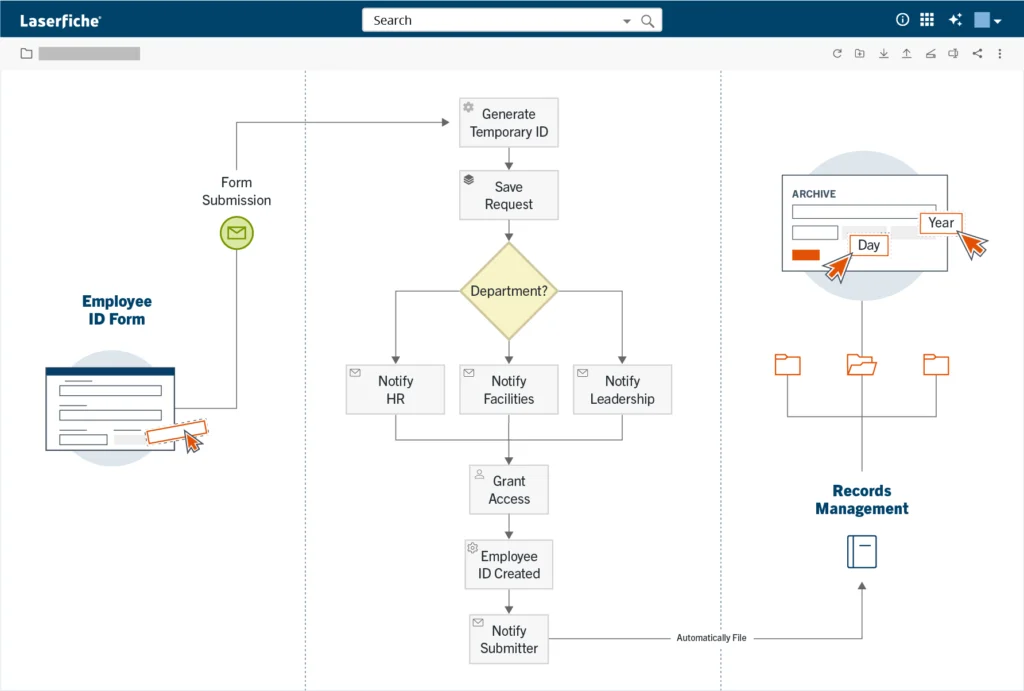
As usage expanded, departments began quantifying the impact of automation across the university. For example, the employee ID card process was previously kicked off via email, requiring human intervention to route, upload and manually type information into an Excel sheet to complete. “This was strenuous and there was a lot of room for human error,” said Priya Karthick, enterprise IT technologist.
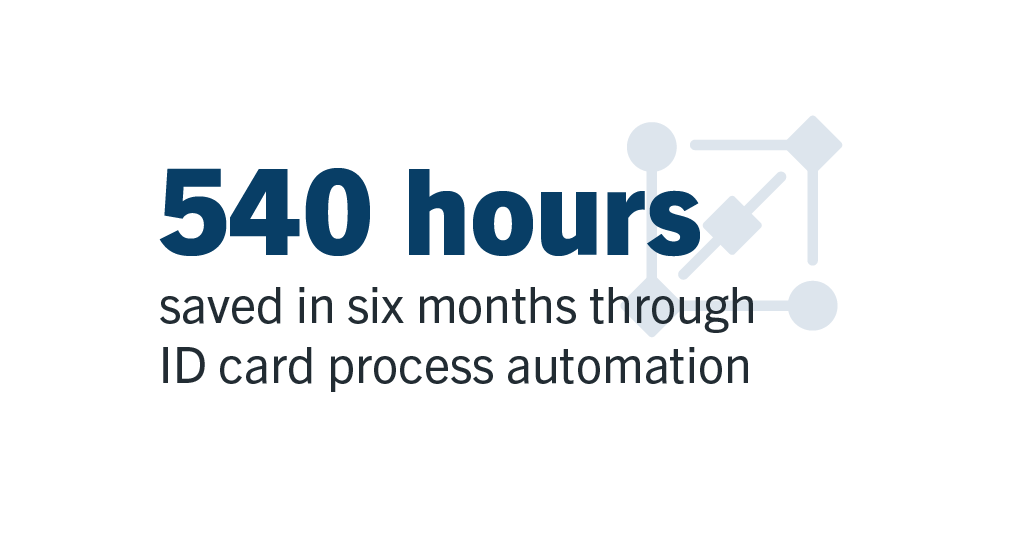
Using Laserfiche to automating the process reduced processing time by approximately 540 hours over a six-month timeframe.
These gains build on the scale of Texas A&M’s broader Laserfiche program. Today, the university supports nearly 70 repositories, more than 100 forms-based processes and approximately 30,000 users across the Texas A&M system.
“What started with just a few repositories has grown into a platform used across the university system,” Karthick explained. “As more departments adopted Laserfiche, they found new opportunities to automate processes and improve efficiency.”
The growth of Laserfiche at Texas A&M has been shaped by a culture of sharing and continuous improvement. Because Laserfiche’s low-code tools are accessible to technical and non-technical users alike, they can build on each other’s ideas rather than starting from scratch. A workflow developed for one team often becomes the starting point for another. Each automated task, documented workflow and shared process frees employees to focus on the university’s core mission of serving students and advancing research.
“Laserfiche gives people the gift of time,” said Berardi. “And that’s value that reaches every level of the organization.”