


The Virginia Association of Government Archives & Records Administrators (VAGARA) is a statewide, not-for-profit organization whose members are affiliated with state or local government and who are concerned with the management of public records.
The annual conference is an opportunity for members and friends to gather for education and networking with those who share an interest in government archives and records management issues. The 2026 Annual Conference will be hosted from Great Wolf Lodge in Williamsburg, October 21-23. Registration for the 2026 Annual Conference is now closed. We look forward to welcoming attendees to Great Wolf Lodge later this month! VAGARA wishes to extend its gratitude to Visit Williamsburg for generously supporting the 2026 Annual Conference.

No industry gets a pass when it comes to protecting sensitive data like personally identifiable information (PII) or criminal justice information (CJI).
Healthcare providers hold deeply personal medical histories. Financial institutions manage information about customers’ identities and assets. Employers are entrusted with confidential records about their people. When that information falls into the wrong hands or suddenly becomes unavailable, the impact reaches far beyond compliance.
Some of the most rigorous security standards pertain to government organizations, including the Criminal Justice Information Services (CJIS) Security Policy and GovRAMP. Although they were created to protect sensitive data within government agencies, many of the security principles behind them have much broader relevance because those standards were built based on global best practices like NIST. Across public and private sector industries, many of the same fundamentals apply to keeping sensitive information secure and available.
The security bar within every industry should reflect what’s at stake.
Document Management and Security: Where Gaps Can Take Hold
Security policies are only as effective as applied. As sensitive information, like PII and CJI, moves through a business, across different file types, and into unstructured data and documents, even routine activity can create gaps:
An employee changes roles but retains access to information they no longer need.
Sensitive records remain in a repository beyond their required retention period.
A security team investigating an incident can’t easily determine who accessed information or changed security settings.
Those gaps become harder to spot when information is scattered across systems or governed differently from one department to another.
Bringing sensitive information into a centralized document management system makes it easier to apply security and governance policies consistently. Access controls can limit who sees the data, while automated retention and disposition help prevent records from being kept longer than necessary. Auditing creates a record of activity that security teams can turn to when something goes wrong.
For organizations managing sensitive information under stringent security and regulatory requirements, Laserfiche Enterprise Security features extend these protections with additional security controls in Laserfiche Cloud.
Getting a Handle on Your Information
You can’t consistently protect sensitive information if you don’t know where it is or what it contains.
Customer, patient, constituent and employee information can be spread across forms, contracts, scanned documents and other business records. Consistent classification and metadata make that information easier to identify, so the right controls can be applied based on its contents and how it needs to be handled.
AI raises the stakes. AI tools and agents need clearly defined, role-appropriate access to this kind of information, just as employees do. Well-structured data provides the context AI needs to take action appropriately, while access controls determine what those tools can reach.
Knowing what information exists also helps teams determine when it no longer needs to be kept. Safely disposing of records at the appropriate time reduces the amount of sensitive data that needs to be protected long term.
A Clear Line of Sight
For the information that remains, it’s crucial to have a clear picture of who accesses it and how they use it. This visibility is especially important for privileged accounts, where elevated access can allow users to make changes across repositories, workflows and security settings.
With advanced audit tracking in Enterprise Security, organizations can capture user login activity, system changes and security events. This helps security teams trace suspicious activity and understand what happened when something goes wrong.
It can also take some of the work out of audits. Instead of piecing together evidence after the fact, organizations have a clearer record of how security controls are being applied.
Planning for the Unexpected
Protecting information also requires planning for what happens when systems go down. Critical information needs to stay accessible when the business depends on it. An outage can interrupt patient and customer services, or bring production and supply chain processes to a halt. The longer information remains unavailable, the greater the disruption.
Multi-region disaster recovery in Enterprise Security uses near real-time, account-level repository data replication and multi-region failover to help maintain access to critical information during a large-scale infrastructure failure. It also helps quickly restore operations following these incidents.
That resilience helps people keep working through disruptions and reduces the risk of an outage bringing mission-critical operations to a standstill.
Cloud Security to Support AI Governance
The right policies, regulations and protections will look different from one industry to the next. Organizations need to understand the security and compliance requirements that apply to them and configure their technology and policies accordingly.
Enterprise Security helps put those policies into practice, extending Laserfiche Cloud with advanced security, auditing and disaster recovery capabilities designed for organizations with stringent information security requirements. Together, these added protections strengthen how sensitive information is secured as it moves through the business.
Ultimately, the sensitivity of the information should determine the security bar. When the stakes are high, the protections should be too.
This month, we’re rolling out new features and product enhancements that help you capture more information from your documents using Smart Fields, keep tasks moving with greater control over reassignment and routing, and do more with Smart Chat and Agents. Explore these updates and more from our latest Cloud release.
Smart Fields Expands Intelligent Capture to Marks, Images, and More
Documents often contain critical information that cannot be captured through text extraction alone. Checkmarks, shaded answer bubbles, signatures, images, and handwriting can all communicate important information. Until now, Smart Fields had limited ability to interpret these visual elements, leaving teams to review documents and enter information manually even when the rest of the document could be processed automatically.
This update adds enhanced visual understanding to Smart Fields and AI-assisted form fill, allowing Laserfiche AI to interpret text and visual information in a document together to populate metadata or fill form fields.
This includes support for optical mark recognition (OMR), enabling Laserfiche AI to interpret marked selections such as checkmarks, shaded bubbles and boxes.
Other new capabilities include interpreting and describing images within your document and capturing text from logos and watermarks.
Smart Fields and AI-assisted form fill also perform better in other scenarios that rely on visual understanding, including detecting the presence of signatures and extracting difficult-to-read handwriting such as cursive.
Together, these enhancements allow you to capture a more complete picture of the critical data and key details within your organization’s content using Laserfiche AI.
New Controls for Task Configuration and Management
New updates to task configuration and management give team managers more flexibility to redistribute work and process designers greater control over task reassignment and routing.
Team managers can now reassign tasks within their own teams without needing to manage the process that created them. When a team member is unavailable or workloads become uneven, managers can now redistribute work directly to another team member, without escalation to a process owner or administrator. This gives managers the operational flexibility they need to manage their team’s tasks, without granting broader access to process data or administrative control over process instances –keeping permissions aligned with their responsibilities.
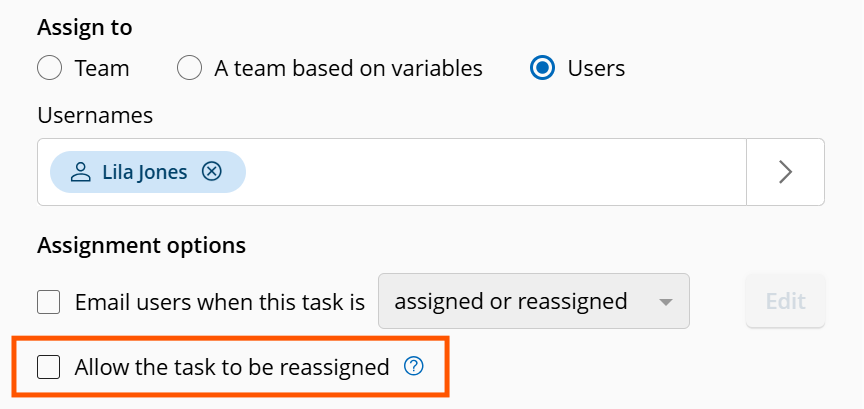
Additionally, process designers can now control whether users can reassign tasks assigned directly to them. This helps prevent tasks that should remain a specific person’s responsibility, like manager approvals or performance reviews, from being handed off. Authorized team managers, process owners and administrators can still reassign these tasks when needed.
These updates also make task handoffs more predictable by preserving specialized routing when a task is released. When a team member releases a task they previously claimed, Laserfiche now reruns its assignment rules to determine who can claim it next, rather than making it available to the entire team. This helps ensure released tasks continue to follow the routing logic built into the process.
Together, these updates help keep work moving, simplifying task management and making reassignment and release more controlled and predictable.
To learn more about the latest task management updates and get a preview of what’s coming next, register for our upcoming webinar: Inbox Innovations: Simplifying Task Routing and Management.
Do More with Agents
You can now use directed agents to edit repository field values directly, further expanding their utility for metadata management.
To stay up to date on the latest in Laserfiche AI, join us for the New Laserfiche AI Innovations webinar series, with sessions in October, November, and December.
Ask Smart Chat About Your Workflows
Now, Smart Chat can help process designers understand their account’s workflows faster and with more confidence. Open Smart Chat in the workflow designer to ask questions about the specific workflow you’re viewing and get responses based on the actual design.
- Summarize Workflow Designs: Get grounded, plain-language summaries of what a workflow does, including its purpose, triggers, major branches and terminal paths.
- Explain Individual Activities & Logic: Ask about specific workflow activities to understand what they do, how they’re configured, and how they contribute to the overall automation. Follow how activities connect, how work moves through the design and why specific branches run.
- Troubleshoot and Onboard More Efficiently: Review complex, inherited or legacy workflows to identify issues and get up to speed faster.
Smart Chat Usability Improvements
New updates to the Smart Chat interface make it easier to read responses, customize your workspace and work across multiple tabs. You can now resize the chat window horizontally to best fit your content. Plus, switch between docked and floating views, follow responses more naturally as they’re generated and manage Smart Chat independently in each browser tab.
Dynamic Fields Improvements
Previously, a lookup rule could only take its input from a field filled by another lookup rule. Now, any field can serve as an input, allowing you to configure dynamic fields to display options based on free-form text entered by a user or a value generated by a field formula. This provides greater input flexibility while reducing the number of rules you need to build and maintain.
Lookup rules can also now populate multiple fields with dynamic data from a single data source. Instead of creating a separate rule for each field, you can use one rule to return multiple outputs and fill several fields in a template.
Additional interface improvements make it easier to configure dynamic fields and work with their values. A new label in the Properties pane of the template designer lets you quickly identify the field type, and improved error handling provides clearer feedback when an invalid input is selected. Additionally, users working with document metadata in the repository can now search within a dynamic field’s available options, making it easier to find the right value when a lookup returns a large number of results.
Import Agent Enhancements
Import Agent can now save email attachments as separate documents when importing email files from a local disk or directly from an email server. It can also ignore metadata assignment errors during import, applying valid values while logging invalid ones for administrators to review later, without stopping or rolling back the entire migration.
LONG BEACH, CALIFORNIA, Sept. 29, 2026 — Laserfiche — the leading SaaS provider of intelligent content management and business process automation — today announced the appointment of Garrett Boss as chief information officer. Boss will oversee Laserfiche’s global IT services team and business transformation office, including deployment of internal Laserfiche solutions and all other enterprise-wide IT systems. In this role, he will also oversee governance, risk, and compliance, supporting Laserfiche’s mission to scale AI innovation while safeguarding the critical content and lifecycle tools customers rely on.
“Laserfiche’s own technology infrastructure and security posture are central to how we deliver an exceptional product and responsive services,” said CEO Karl Chan. “Garrett is a proven leader with a track record of leading global IT and governance teams as they scale and accelerate innovation. I am confident his leadership will help move Laserfiche forward as we shape the future of our platform.”
Boss has over 20 years of experience aligning digital transformation initiatives with business outcomes. Most recently, as executive vice president, Enterprise & Data Platforms at FOX Corporation, he led efforts to integrate agentic workflows across FOX’s application portfolio, to accelerate product updates and feature releases, and reduce time-to-market for software improvements. He is passionate about making a positive impact enterprise-wide, building delivery-focused teams that operate with clarity, and providing technology solutions that create measurable value. At Laserfiche, Boss will support Laserfiche’s continuous innovation and delivery of seamless experiences to partners and customers.
“I’m honored to join Laserfiche at such a pivotal moment in the company’s journey,” said Boss. “Laserfiche has long been a leader in helping organizations manage information and automate critical business processes, and I’m especially excited about the company’s strategy for AI and context management. The value of enterprise AI depends heavily on the quality and context of the information that grounds it. Laserfiche is uniquely positioned to help organizations transform their unstructured content into trusted, actionable context that can be securely integrated into AI-powered workflows. I look forward to working alongside Karl and the entire leadership team to advance our technology strategy, accelerate innovation and deliver intuitive, seamless experiences that empower our customers and partners to thrive.”
Laserfiche provides enterprise-scale, AI-driven content management solutions to more than 10 million users globally. The company is headquartered in Long Beach, California.
About Laserfiche
Laserfiche is the leading enterprise platform that helps organizations digitally transform operations and manage their content with AI-powered solutions. Through scalable workflows, customizable forms, no-code templates and AI-enabled capabilities, the Laserfiche® document management platform accelerates how business gets done. Trusted by organizations of all sizes — from startups to Fortune 500 enterprises — Laserfiche empowers teams to boost productivity, foster collaboration, and deliver a superior customer experience at scale. Headquartered in Long Beach, California, Laserfiche operates globally, with offices and partners across the Americas, Europe, the Middle East and Asia.
Knowledge Worth Preserving
With more than 81,000 students and tens of thousands of faculty, staff and student workers, Texas A&M University operates at a scale that few institutions can match. That size creates opportunities for innovation, but it also introduces complexity. Across the university, teams are constantly finding better ways to work while supporting the student experience and world-class research. What succeeds in one department, however, doesn’t always make its way to another.
That challenge became even more apparent as university operations evolved under new leadership. Consolidation efforts brought resources together across colleges and business units, creating new opportunities to streamline services. It also highlighted differences in how work was performed.
“At Texas A&M, one department may solve a problem that another doesn’t even realize has already been solved somewhere else,” said Michael Berardi, IT director for the Bush School. “We needed ways to make successful processes repeatable across the university.”
Additionally, as experienced employees retired, years of institutional knowledge often left with them. Capturing and standardizing processes became increasingly important for ensuring continuity and supporting future growth.

One Platform, Many Possibilities
Texas A&M selected Laserfiche as its enterprise document management platform more than two decades ago. What began as a document management initiative evolved into a platform for process automation, reporting, records management and system integration.
Across the university, teams adapted the platform to support their own operational priorities:
- Research operations gains visibility into workloads. Research Enterprise Business Services replaced paper-based processes with digital forms and reporting. Teams can now track submission volumes, monitor workloads and allocate resources based on real-time data. Required fields reduce back-and-forth communication via email and help ensure submissions are complete the first time. “When I first started, everything was paper,” said Kayla Kitchens, administrator II. “With Laserfiche we can now see how much work each person is handling and make adjustments when new responsibilities come in. Before, we had no way to measure that.”
- Human Resources streamlines onboarding. HR uses Laserfiche for onboarding, personnel file management, awards nominations and disclosure processes. Integrations with faculty affairs, employee ID and service management systems allow information to move automatically between applications. This reduces manual effort and accelerates employee onboarding so new faculty and staff can begin supporting students sooner. “We built several Laserfiche integrations into our onboarding process,” said Paige Green, service quality consultant. “When a faculty hire is approved, that information can automatically flow into the onboarding workflow so the next steps can begin immediately.”
- Texas A&M University at Qatar automates HR and finance workflows. As part of Texas A&M’s global education network, Texas A&M University at Qatar uses Laserfiche Forms, workflows and the repository to eliminate manual record keeping and help staff manage records, enforce retention requirements and automate approvals. As users become familiar with the platform, they continue identifying new opportunities to simplify processes and reduce human error. “Once they see how easy it is to use Laserfiche, they start asking why we didn’t start using it sooner,”said Faith Stringer, assistant director of business operations.
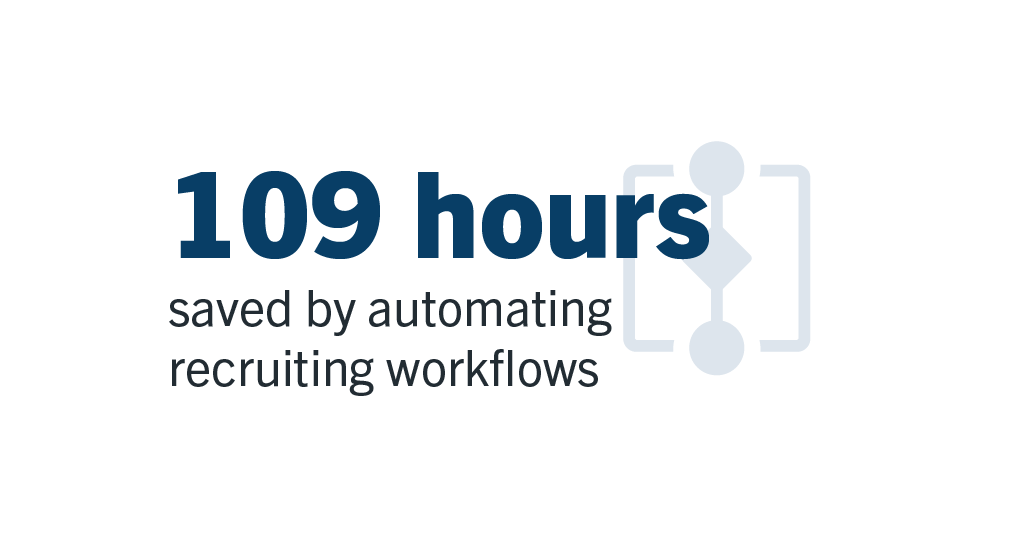
- Recruiting teams reclaim valuable time. At the Bush School, recruiters were spending significant time coordinating interview schedules for prospective students each year. After implementing a Laserfiche workflow, the team reduced administrative effort by over 100 hours across two employees, giving staff more time to focus on prospective students rather than scheduling logistics. “Laserfiche gave them their weekends and nights back,” said Berardi. “That’s a significant improvement for the people doing the work.”
Solutions Shaped By the People Using Them
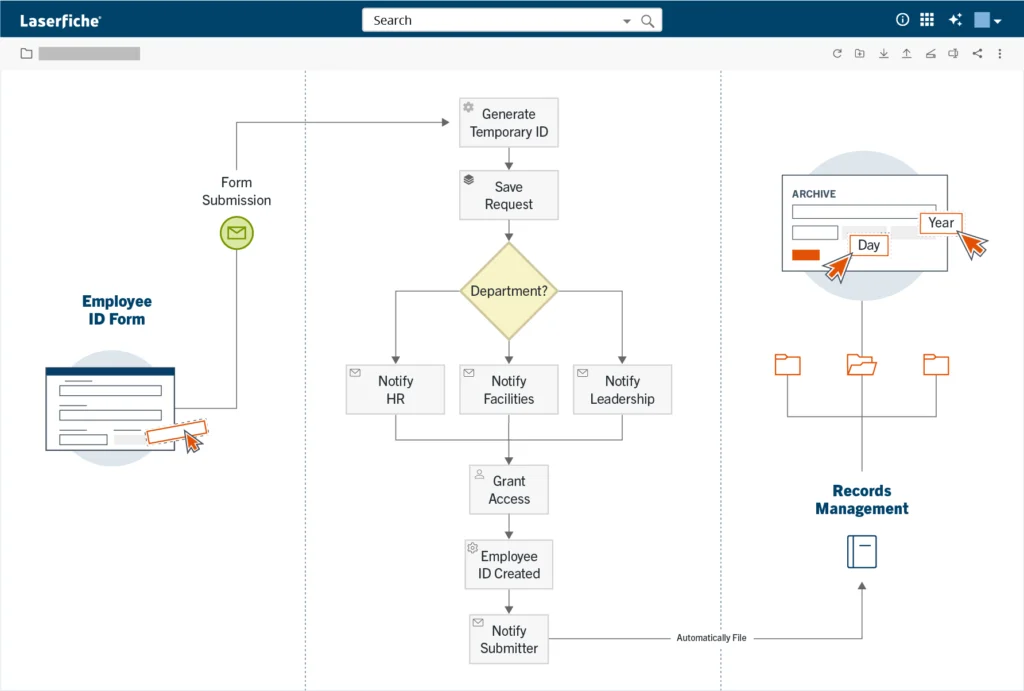
As usage expanded, departments began quantifying the impact of automation across the university. For example, the employee ID card process was previously kicked off via email, requiring human intervention to route, upload and manually type information into an Excel sheet to complete. “This was strenuous and there was a lot of room for human error,” said Priya Karthick, enterprise IT technologist.
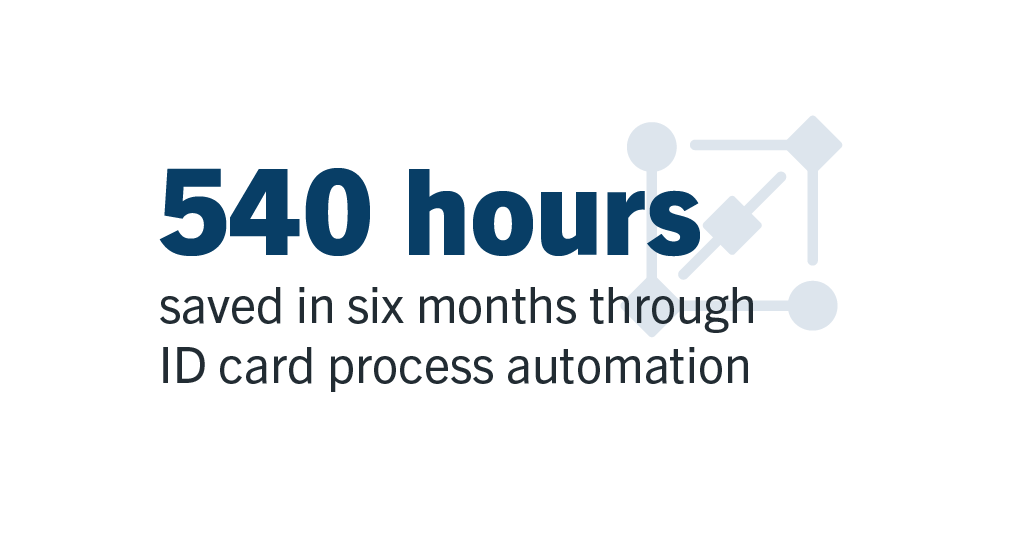
Using Laserfiche to automating the process reduced processing time by approximately 540 hours over a six-month timeframe.
These gains build on the scale of Texas A&M’s broader Laserfiche program. Today, the university supports nearly 70 repositories, more than 100 forms-based processes and approximately 30,000 users across the Texas A&M system.
“What started with just a few repositories has grown into a platform used across the university system,” Karthick explained. “As more departments adopted Laserfiche, they found new opportunities to automate processes and improve efficiency.”
The growth of Laserfiche at Texas A&M has been shaped by a culture of sharing and continuous improvement. Because Laserfiche’s low-code tools are accessible to technical and non-technical users alike, they can build on each other’s ideas rather than starting from scratch. A workflow developed for one team often becomes the starting point for another. Each automated task, documented workflow and shared process frees employees to focus on the university’s core mission of serving students and advancing research.
“Laserfiche gives people the gift of time,” said Berardi. “And that’s value that reaches every level of the organization.”
Criminal justice agencies have plenty of reasons to modernize aging information systems. But what often stands in their way is cost.
Federal funding is available, but there’s no single grant dedicated specifically to CJIS (Criminal Justice Information Services) modernization. Instead, the dollars are spread across criminal justice, technology and cybersecurity programs with different priorities and eligibility requirements.
That makes the way agencies define their modernization projects especially important. CJIS modernization can take many forms, from replacing aging document repositories and automating case workflows to strengthening records governance, security and continuity of operations. These investments can give investigators faster access to records, improve CJIS audit readiness and help authorized justice partners share information more securely.
Connecting technology investments to outcomes like these can help agencies identify funding programs that align with what they want to achieve.
Broad CJIS Modernization: Byrne JAG
The Edward Byrne Memorial Justice Assistance Grant (Byrne JAG) Program is one of the broadest funding opportunities for CJIS modernization. Its expansive scope makes it a potential funding source for CJIS modernization products involving secure records management, digital case files, automated workflows and information sharing.
Eligible cities and counties receive JAG awards directly from the U.S. Department of Justice, while funding also reaches state and local governments through state-administered programs. This gives agencies multiple avenues to explore for CJIS modernization projects.
Improving Criminal Justice Records with NCHIP and NARIP
Projects focused on criminal history information have more targeted options.
The National Criminal History Improvement Program (NCHIP) supports improvements to criminal history records and disposition reporting, as well as information sharing and integration among courts, prosecutors and law enforcement.
Similar in scope is the NICS Act Record Improvement Program (NARIP), which focuses on records supporting the National Instant Criminal Background Check System. Eligible projects can include protection order automation, court disposition reporting, improvements to record completeness and workflow automation.
Both programs are generally administered at the state level, so municipal agencies typically participate through statewide initiatives.
Supporting Pilots and Technology Projects with COPS Funding
For those looking to test a new approach, the Community Policing Development Microgrants Program can support demonstration and pilot projects. Current FY2026 awards provide up to $200,000 for potential initiatives supporting digital investigative case management, secure collaboration with prosecutors, cybercrime documentation or CJIS-secure information sharing.
The COPS Technology and Equipment Program provides another option for law enforcement technology projects. Eligible investments range from secure cloud modernization to regional information sharing and disaster recovery. Funding comes through Congressionally Directed Spending, so agencies must work with their Congressional delegation during the appropriations process.
Connecting CJIS Modernization to Cybersecurity
Some CJIS modernization projects may fall under the umbrella of broader cybersecurity funding.
The State and Local Cybersecurity Grant Program supports initiatives such as secure cloud migration, identity management and disaster recovery. Funding can also extend to secure storage and audit capabilities when the work aligns with a state’s approved cybersecurity plan. For criminal justice agencies, these priorities translate into stronger access controls and clear audit histories, as well as maintaining reliable access to critical information during disruptions.
The Homeland Security Grant Program offers another potential funding source, particularly for projects that strengthen regional intelligence sharing or improve the security and availability of critical information. Continuity-of-operations investments may also qualify.
More Specialized Funding Opportunities
Depending on the project, organizations can also explore programs aimed at specific areas of the criminal justice system.
- Paul Coverdell Forensic Science Improvement Grants: Forensic operations, including digital records, evidence documentation and audit history.
- Office on Violence Against Women funding: Protection orders, victim services and confidential information management.
- Coordinated Tribal Assistance Solicitation and Tribal Access Program: Tribal justice organizations and initiatives involving secure records and criminal justice information.
- State Justice Institute grants: Court modernization planning, process redesign and information governance planning.
Connecting Funding to CJIS Modernization
Funding opportunities and eligibility evolve from one cycle to the next. Agencies can navigate these changing opportunities more effectively by first defining what they want to improve.
Laserfiche supports these efforts by helping organizations securely manage criminal justice records, automate workflows, govern access and maintain audit histories. Together, these capabilities provide an information foundation for technology investments tied to public safety and operational goals.
Modernization is the project, but the outcome is what ultimately makes the case for funding.