Law Enforcement Strengthens Connections to Community Resources

Turning First Contact Into a Turning Point

Across America, many public safety systems have generally operated in a reactive mode, responding to incidents after they occur. In Long Beach, California, city leaders saw an opportunity to take a different, proactive approach.

“We’re focused on intervention and prevention,” said Long Beach City Prosecutor Doug Haubert. “If we can get people into services directly from that first contact with law enforcement, it’s more effective for that individual and better for the community as a whole.”

Long Beach police officers were often the first point of contact for persons experiencing homelessness, mental health crises or substance use disorders. In many cases, these interactions required immediate action, especially when someone was ready to accept help. But without real-time access to information about the individual, or what services were available, officers had limited options in the moment. They relied on memory, phone calls or paper-based resources to try to connect individuals with support.

“We would contact someone, offer services and try to connect them to the right resources,” said Officer Alejandro Cazares of the Long Beach Police Department. “But if we didn’t have an outreach worker with us or immediate access to those resources, we’d have to give them a phone number or an address, or try to call around ourselves.”

Long Beach Police Department and Long Beach City Prosecutor’s Office

Service providers faced a similar challenge. Even when help was available, it was difficult to connect with individuals at the point in time when they were ready to accept it.

“One minute they’re in; one minute they’re out,” said Michael Rubio of the Los Angeles Centers for Alcohol and Drug Abuse (LACADA). “If someone is ready right now, we have to meet them right now.”

Building a Connected Public Safety Solution

To bridge these gaps, the Long Beach City Prosecutor’s Office partnered with Laserfiche to develop GUIDES (Government User Integrated Diversion Enhancement System), a mobile application that connects law enforcement, prosecutors and service providers.

With GUIDES, officers now have immediate access to shelter, mental health and substance use resources directly from their phones. From the field, officers can quickly connect individuals to support through a streamlined process:

  • Officers submit a referral in seconds through the GUIDES app while in the field.
  • Referrals are routed to the social worker at the City Prosecutor’s Office.
  • Individuals are then referred to service providers based on their specific needs.
  • Outreach teams from the service providers follow up to connect the individual to their services.

“At its core, GUIDES is a secure data-sharing platform,” said Haubert. “We can now connect people to services as soon as officers encounter them.”

Long Beach Police Department and Long Beach City Prosecutor’s Office

Prior to GUIDES, the Long Beach Police Department was already a long-time user of Laserfiche to improve access to information about court orders. Laserfiche enabled the department to centrally store critical information such as court documents, images and PDFs, apply metadata for organization, and securely retrieve content while meeting regulatory, security and privacy requirements.

“Laserfiche already had a strong presence within the city and the police department,” said Byron Bolton, the city prosecutor’s chief technology officer. “There was a level of trust there, which made it much easier for us to build on that foundation.”

The GUIDES app represents a significant advancement in the city’s approach to public safety. It extends secure information access beyond records management into real-time decision-making in the field. With Laserfiche as the backbone, GUIDES enables officers to access resources, submit referrals and share information across agencies directly from their mobile devices.

Behind the scenes, Laserfiche supports secure data sharing, audit tracking and compliance with criminal justice standards, ensuring that information is accessible, trusted and protected.

“Security is built into every layer of GUIDES,” said Bolton. “The Laserfiche platform allows us to meet CJIS requirements and city cybersecurity standards while still giving officers fast, reliable access to the information they need in the field.”

From Referral to Coordinated Care

Through the Law Enforcement Assisted Diversion (LEAD) program, which gives officers an alternative way to connect individuals with services, referrals move quickly from first contact to coordinated care.

Long Beach Police Department and Long Beach City Prosecutor’s Office

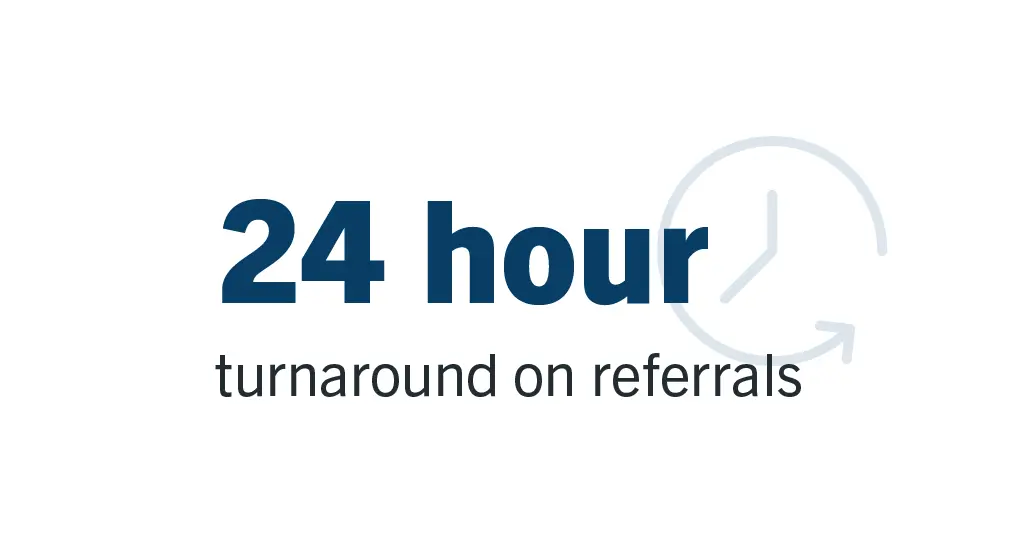
“Even if it’s overnight, officers can submit a referral, and we can follow up the next morning and make sure the individual gets connected to the service they need,” said Gigi Zanganeh, LEAD program coordinator for the city prosecutor’s office. 

For service providers like L.A. CADA, that speed and visibility enable them to respond quickly. In many cases, outreach teams connect with individuals the same day or by the next day, a significant improvement over previous manual processes.

This approach also expands the city’s capacity to serve more individuals by streamlining the process for officers, social workers and service providers to work together.

“Laserfiche allows us to capture referrals, share them across agencies and act on them without delay,” said Bolton. “That level of coordination is what makes this work.”

Real Stories, Real Impact

The impact of GUIDES is best understood through the people it helps:

  • After years of repeated interactions, one individual who previously declined assistance was finally connected to substance abuse services through GUIDES. Today, they are substance-free and housed.
  • In another case, an individual experiencing homelessness was referred by an officer and connected to services within a day. They were placed into a residential program and they continue to make progress months later.
  • For individuals facing complex barriers, coordinated support makes the difference. In one instance, someone was ready to enter treatment but could not leave their pet behind. Through collaboration between city staff, service providers and community partners, a foster solution was arranged, allowing them to begin recovery.

Strengthening Trust and Public Safety

As outcomes improve, so does trust.

“The app definitely helped us build trust with the community because they see the results,” said Cazares.

It’s also changing how residents view law enforcement. “People understand that officers aren’t just there for enforcement,” said Haubert. “They’re there to help people and connect them to the services they need.”

For community partners, the impact is just as meaningful. “When you get everyone at the table — police, prosecutors and providers — all working toward the same goal, it changes everything,” said Rubio.

Together, this alignment is redefining public safety in Long Beach. Officers can act in the moment, service providers can respond quickly, and individuals are connected to support when it matters most.

As the City Prosecutor’s Office continues to expand GUIDES and explore new capabilities, Laserfiche provides the foundation to scale these efforts while maintaining security, visibility and control over information. “Technology like the GUIDES app powered by Laserfiche can save time and money,” said Haubert. “But in Long Beach, we’re using it to save lives.”

What CJIS Means for Modern Criminal Justice Operations

Law enforcement and CJIS

Criminal justice agencies are facing increasing pressure: They must manage information securely while also working quickly and remaining transparent. The volume and complexity of data continues to expand, including everything from body-worn camera footage to case files and public records requests. Agencies must meet strict requirements regarding how they protect and access that information and how they share it.  

That’s where Criminal Justice Information Services (CJIS) comes in.  

The FBI established CJIS as a set of policies and standards that govern data security and privacy while enabling timely, secure access to criminal justice information. These policies ensure that agencies protect sensitive data from unauthorized access while keeping it available to the right users. The standards also address areas such as user authentication, encryption, audit logging and physical security, all designed to protect criminal justice data at every point in its lifecycle. 

Who Needs to be CJIS-ready? 

CJIS requirements affect more than just law enforcement agencies. They also apply to courts, prosecutors, corrections and any vendor that accesses or stores criminal justice data. 

Yet, across these departments, the focus on immediate tasks can make compliance feel like a secondary priority. 

“They’re just worried about boots on the ground and managing the day-to-day challenges,” says Scott Wilcox, senior fellow for the Center for Digital Government.  

This lack of alignment between policy and implementation means that while agencies are expected to meet strict security requirements, many are managing fragmented systems, manual processes and growing volumes of data. Some don’t realize they are falling short of CJIS requirements. 

CJIS-ready agencies manage information consistently and securely across the entire lifecycle. They can respond quickly to audits and public records requests, and their risk of unintended disclosure is lower. 

However, many agencies are not CJIS-ready. They still operate in fragmented situations where criminal records are stored in paper files and on shared drives. Disconnected systems make it hard to sustain consistent controls and visibility, which also increases risk. 

Operational Efficiency as the Foundation for Compliance 

 The right tools can reduce operational friction by bringing structure and consistency to how agencies manage information, making it easier to support compliance as part of everyday work — not a separate burden. 

“When you have the right content management systems, they improve operational workflow and efficiencies throughout the criminal justice life cycle, and that makes your life easier. People get things done in a more efficient and more accurate way,” says Curt Wood, senior fellow for the Center for Digital Government. 

An enterprise content management system can support CJIS requirements while also improving day-to-day operations. For example, it can provide: 

  • Centralized document and records management 
  • Role-specific access controls 
  • Automated workflows that reduce manual effort 
  • Audit and reporting tools that support accountability 
  • Secure integration across systems 

Learn how Idaho Department of Corrections streamlined manual processes and secured their data. 

These capabilities help address the challenges agencies face every day, from processing evidence to fulfilling public records requests. 

 While CJIS is an essential requirement for criminal justice organizations, readiness isn’t just about passing audits. It’s about reducing friction, improving accountability and creating a more efficient, resilient approach to managing criminal justice information. 

When agencies take this approach, they reduce operational strain, enhance data quality and increase transparency. They can respond more quickly to public demands while better defending sensitive information. 

Advancing Public Trust and Innovation with CJIS Readiness 

Criminal justice agencies are entrusted with some of the most sensitive data there is, and the stakes for protecting it continue to rise. CJIS provides the framework, but agencies still need the right technology and partners to put those standards into practice in a way that doesn’t add operational strain. 

That’s why it’s critical to work with solutions designed with CJIS requirements in mind from the start. Systems that align with FBI standards help ensure that security, access control and auditability are built in, not bolted on. This gives IT leaders confidence that they can support compliance while also enabling their agencies to operate more efficiently. 

For chiefs of police and other agency leaders, the goal isn’t to manage technology. It’s to ensure their teams can do their jobs effectively, securely and without unnecessary friction. By partnering with CJIS-aligned providers, agencies can reduce risk, simplify operations and build a stronger foundation for transparency and public trust. 

User Management (Self-hosted)

Learn how to create and manage users in Laserfiche with this hands-on lab!

Perfect for anyone getting started with administering a Laserfiche system using Laserfiche Directory Server, this course provides an overview of foundational user management concepts while highlighting best practices. Get familiar with the interfaces for managing users and groups while learning about common use cases and best practices to apply for your organization. This course will teach you how to:

Work with Laserfiche Directory Server to manage a Laserfiche system

Create users and groups while administering user licensing and access to Laserfiche applications

Leverage groups to simplify user management

Working with Workflow and Laserfiche Forms (Self-hosted)

Leverage your Laserfiche Forms and Workflow knowledge to expand your process automation capabilities and reimagine your organization’s processes. Gain practical knowledge to help you identify which features to use and how to successfully connect them in your solutions. This course will teach you how to:

Identify processes to streamline by connecting Laserfiche tools

Connect Laserfiche Forms and Workflow using activities like Workflow Service Tasks and Retrieve Business Process Variables

Pass information efficiently between tools to create a seamless user experience.

Working with Workflow and Business Processes (Laserfiche Cloud)

Leverage your Business Process and Workflow knowledge to expand your process automation capabilities and reimagine your organization’s processes. Gain practical knowledge to help you identify which features to use and how to successfully connect them in your solutions. This course will teach you how to:

Identify processes to streamline by connecting Laserfiche tools

Connect Business Processes and Workflows using input and output parameters

Pass information efficiently between tools to create a seamless user experience

Working with the Laserfiche API

Learn how to leverage the Laserfiche API to build integrations to the repository. In this hands-on course, you’ll see how to leverage Laserfiche’s RESTful API to create, retrieve, update, and delete repository content. In this session, you’ll learn how to:

Identify use cases for integrations with the Laserfiche API, including examples of common integrations with line-of-business applications

Connect and authenticate to the Laserfiche API to secure integrations to the repository

Configure common API calls to search and retrieve entries, move entries, update metadata and more!

Personalizing WebLink and Public Portal

Set up Public Portal to meet your needs! Whether it’s making public records available to your citizens or providing access for customers who need to see their files, Laserfiche Public Portal is the tool you need for publishing content. In this hands-on lab, you will learn how to:

Customize the appearance of your online portal with the designer

Make published sites look and feel like your website

Simplify searches for end users to efficiently find documents using search forms and links

Introduction to the Repository

New to working with documents in Laserfiche? In this hands-on lab, follow along with our expert instructors to learn how to use the Laserfiche repository. Follow the day in a life of an average user as you add new documents to Laserfiche, efficiently locate files, and configure options to get the most out of your Laserfiche system.

Perfect for anyone brand new to the Laserfiche repository or looking to refresh their skills with the newest features! In this course, you’ll learn how to:

Navigate the repository, import and work with documents

Apply metadata to streamline searching and reporting

Leverage robust search features to find documents quickly

Configure the repository interface to meet your needs

Intelligent Document Capture and Extraction

Get hands-on with importing documents and data into your repository! Explore the variety of Laserfiche capture options available to ingest documents into the repository, classify document types, and retrieve valuable data from files.

You’ll learn to identify the optimal tools for your unique document ingestion and data extraction scenarios from simple, user-focused import and scanning to high-volume options. Plus, discover how Smart Fields can simply and elegantly extract data from your documents, eliminating manual data entry and enhancing accuracy. This course will teach you how to:

Leverage various user-driven and automated Laserfiche document import tools

Implement Smart Fields to intelligently extract and classify document data

Familiarize yourself with capture tools to use for documents within your organization

Integrations with Forms and Workflow (Self-hosted)

Laserfiche self-hosted includes a host of integration tools that you can leverage to connect external third-party systems to your automated Laserfiche solutions. Learn how to use web requests and database connections to tap into data in another system to streamline and simplify your Laserfiche automated processes. In this session, you’ll learn how to:

Create database connections in Workflow and Forms to retrieve and update information in third-party systems

Configure HTTP Web Request and Read JSON activities to connect with a third-party API platform

Build automated integrations with third-party applications while considering best practices